


TapRead - Read Good Story
3.91.46K Reviews
App Specs
- Version
- 3.42.5
- Updated On
- License
- Free
- Downloads
- 1,000,000+
- Developer
- ZONGHENG CULTURE, INC.
- Categories
- Books & Reference
- Platform
- Android, iOS
Screenshots

 Analysis by AppCompare
Ever found yourself craving a good story but tired of flipping through countless apps that promise the world and deliver a mere pamphlet? Let me introduce you to TapRead - Read Good Story, an app that has been a game-changer in my reading journey. I stumbled upon it during one of those late-night app store explorations, and let me tell you, it’s like finding a hidden gem in a sea of rocks.
Why the first week feels inviting
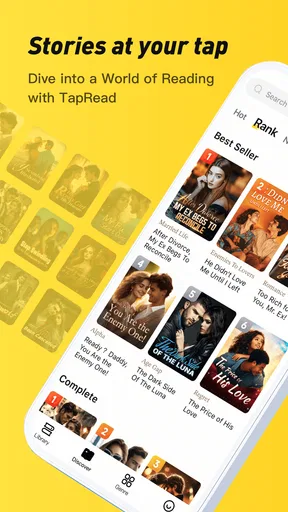
My first impression was shaped by how quickly I could browse for something to read. TapRead is a free Books & Reference app from ZONGHENG CULTURE, INC., and its focus on serialized stories makes it feel different from opening a general ebook library. Rather than approaching it with a title already in mind, I found it suited the mood-led search: choose a kind of story, sample a premise, and see whether the opening holds my attention.
That approach is useful when I have a short break and don’t want to spend it comparing long lists of books. The first few sessions can feel full of possibility, especially if I’m willing to try genres I usually pass over. My practical advice is to sample a story before settling in for a long reading streak. A striking premise is not the same thing as a satisfying longer read, and a little patience at the start can save me from following a story simply because its opening was catchy.
Discovering a World of Stories
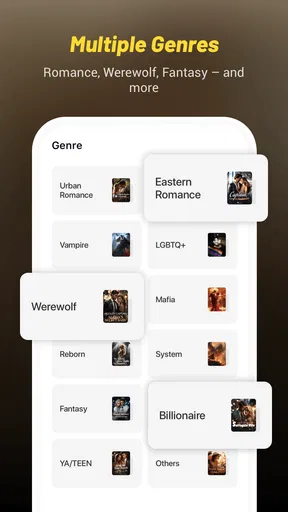
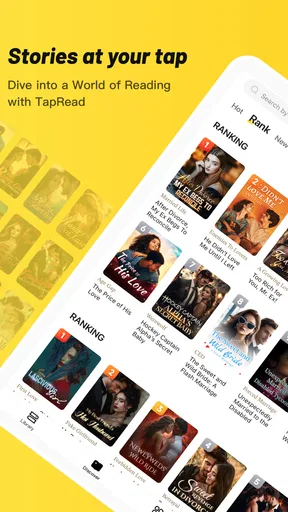
First off, the sheer variety of stories available on TapRead is mind-boggling. From romance to fantasy and everything in between, there’s something for every taste. The app categorizes books beautifully, making it easy to dive into your favorite genre or explore something new. I found myself lost in a fantasy series that I probably wouldn’t have picked up otherwise, and it was a delightful surprise.
Making reading fit an ordinary day
The format works best for me when I treat reading as a small, repeatable habit rather than a project. For example, if I’m waiting for an appointment, I can use that stretch of idle time to read a little instead of starting a book that demands a long, uninterrupted evening. Serialized fiction is particularly suited to this kind of stop-and-start routine: each visit can bring a manageable piece of a continuing story, while the larger plot gives me a reason to return.
There is a trade-off, though. When I only have a few minutes, I’m more likely to stop at an awkward moment or forget a minor plot detail before the next session. I try to pause at a natural scene break when possible, and I pay attention to character names and story context rather than assuming I will remember every thread. That small habit makes a continuing novel easier to pick back up, especially when I’m reading several stories in parallel.
User-Friendly Interface
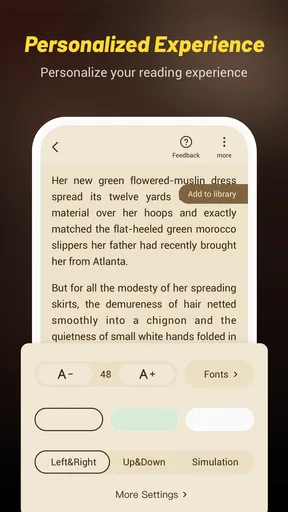
Now, let’s talk about the interface. It’s sleek, intuitive, and, most importantly, easy to navigate. You don’t need a degree in computer science to figure it out. Everything is laid out in a way that just makes sense. Whether you’re tech-savvy or not, you’ll find yourself flipping through pages like a pro. The reading experience is customizable too, so you can adjust the font size, background color, and even the screen brightness to suit your preference. It’s like having a personalized reading nook right on your device.
Worth Reading Before You Choose

EA SPORTS FC Mobile 26 Is a Bigger Football Game, but It Takes Time

Flipboard Shows What News Apps Must Do Beyond the Feed

Switching to Android Auto Means Rethinking Your Driving Routine

Google Calendar Makes a Crowded Week Easier to Manage

Ludo King Makes the Most of the Minutes Between Plans

Baby Panda World Brings Quick Play to Modern Phones, but Its Game Library Feels Busy
Those reading adjustments matter more over time than they might during a quick first look. I prefer to set a comfortable font and background before I get absorbed in a story, rather than repeatedly changing them mid-chapter. If I read in different lighting, brightness is the setting I’m most likely to revisit. The useful point is not to chase a perfect setup; it’s to make the text easy on my eyes so the app can fit a commute, a dim room, or a bright daytime break without becoming a distraction.
Community: enjoyable, but optional
One of the standout features of TapRead is its interactive community. You’re not just reading in isolation; you’re part of a vibrant community of fellow book enthusiasts. The comment sections are lively, filled with discussions, theories, and fan art. It’s like a book club that never sleeps. I’ve had some fascinating conversations with readers from around the world, which adds a whole new dimension to the reading experience.
For me, the comments are best as an extra, not a requirement. I may enjoy seeing how other readers interpret a character or a turning point, but I don’t want discussion to interrupt the story whenever I’m trying to keep its momentum. I’d read first and browse reactions afterward if spoilers bother me. On the other hand, readers who like sharing theories as they go may find the community itself gives them a reason to return, beyond simply reaching the next part.
What keeps it useful month to month
The long-term value depends less on the initial range of stories and more on whether I keep finding something worth continuing. TapRead’s appeal is strongest for readers who enjoy discovery and ongoing fiction, rather than people who only want a fixed collection of finished books. New material can make returning feel worthwhile, but novelty alone will not turn every story into a favorite. I would keep a short mental shortlist of stories I genuinely want to follow; that helps me spend reading time on them instead of browsing endlessly whenever I open the app.
It also helps to think about how I want to read. If I enjoy talking through plot developments, the social element can extend a story beyond the page. If I mainly want quiet, focused reading, I can treat comments as something to visit selectively. This flexibility is a genuine strength, though it means the experience can feel different depending on whether I use TapRead as a reading space, a discovery tool, or a reader community.
Regular Updates and Fresh Content
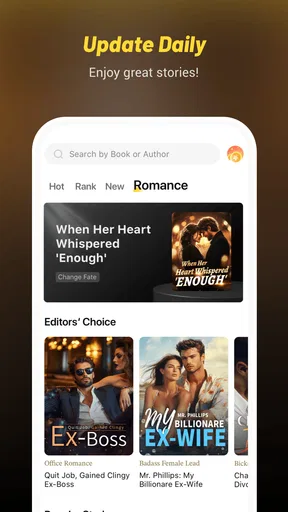
Nothing is more frustrating than an app that goes stale, right? Thankfully, TapRead keeps things fresh with regular updates and new content. Every time I open the app, there seems to be something new to explore. The developers are clearly in tune with their audience, consistently adding features that enhance the reading experience. It’s like they know exactly what I’m looking for, which is both impressive and a little eerie!
For lasting use, I would separate two kinds of freshness: new stories to discover and improvements to the app itself. Both can encourage me to check in, but neither replaces a good match between a story and my taste. If browsing starts taking longer than reading, I’d narrow my choices to a few ongoing favorites and return to discovery only when I’m ready for something new. That is a simple way to keep a large-feeling catalogue from turning into a constant stream of decisions.
Maintenance, purchases, and the point where it may not fit
TapRead is free to install, but some content is sold through in-app purchases, with listed item prices ranging from $0.99 to $199.99. I’d make a choice about spending one story at a time, rather than assuming that free access means every chapter or title will remain free. Before paying, I would check what a particular purchase unlocks and whether I’m already committed to the story. This is especially sensible for readers who tend to start several novels at once: small purchases can become hard to track if each new cliffhanger prompts another one.
The app’s audience rating is Mature 17+, so it is not a suitable pick for younger readers. It also may not suit someone who wants a traditional, self-contained ebook collection, an entirely offline reading routine, or a carefully curated list of literary classics. Those readers may be happier with an ebook store or a library app built around books they select in advance. TapRead makes more sense if browsing serialized fiction and following reader conversations are part of the appeal.
Compared with a general ebook reader, TapRead puts more emphasis on discovering ongoing stories and engaging with other readers; a conventional reader is often the simpler choice for bringing together books already owned or borrowed. Compared with reading on paper, the app offers adjustable presentation and a social layer, but it also places a phone and its other distractions in the middle of the experience. I’d choose based on the kind of reading I actually do, not on the idea that one format has to replace all the others.
Monetization and Access
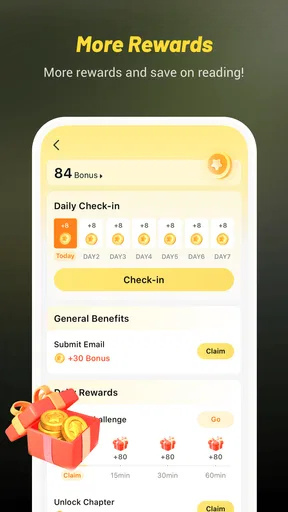
Here’s the scoop on how you access these stories. TapRead follows a freemium model, where you can read a good chunk of content for free, but some stories require in-app purchases or subscriptions to unlock fully. Honestly, I didn’t mind this setup because the free content is plentiful, and the quality is top-notch. Plus, supporting authors and the app developers is a no-brainer for me if I’m getting such high-quality content.
The current version is 3.38.0, and the app requires Android 7.0 or later. It has an average rating of 3.7 from around 10,000 ratings, with about 1,300 written reviews and more than one million installs. Those figures suggest an established audience, but they are not a promise that every story or reading style will suit me. I would use the free access to judge the writing and the reading flow for myself before deciding whether paid chapters make sense.
Final Thoughts
In a nutshell, TapRead - Read Good Story is a must-have for anyone who loves diving into a good book. It’s not just an app; it’s a community, a library, and a source of endless entertainment. Whether you’re a casual reader or a hardcore bookworm, you’ll find something to love here. So why not give it a try? You might just find your next favorite story, and who knows, maybe we’ll bump into each other in the comment section!
My longer-term verdict is more measured: I’d keep it around if serialized fiction becomes part of my regular reading routine, and I’d be more selective if I mainly wanted occasional, complete books. Its strongest lasting reasons to return are the range of stories, the convenience of reading in short sessions, and the possibility of joining a conversation around a favorite. Its main demands are equally clear: I need to choose stories thoughtfully, keep an eye on paid access, and be comfortable with a mature-rated reading environment.
If those trade-offs suit you, TapRead is worth trying as a companion to your usual reading rather than an automatic replacement for every book app or paper book you enjoy. I’d start with one story that genuinely catches my interest, settle the text settings to my liking, and see whether I still want to return after the first burst of curiosity fades. That is the fairest test of whether it earns a lasting place on my device.
Pros
- Wide range of genres to explore.
- User-friendly interface with easy navigation.
- Offline reading mode available.
- High-quality translations for global readers.
- Regular updates with new content.
Cons
- Ads can be intrusive at times.
- In-app purchases can be pricey.
- Limited free chapters per day.
- Requires internet for new story updates.
- Some stories have inconsistent quality.
FAQs for TapRead - Read Good Story
What types of stories can I find on TapRead?
TapRead offers a diverse range of genres, including romance, fantasy, sci-fi, adventure, and mystery. Whether you enjoy immersive worlds or thrilling plots, TapRead has something for everyone. The platform constantly updates its library, ensuring fresh content and new stories to explore, catering to a wide array of reading preferences.
Is TapRead free to use?
TapRead is free to download and offers a selection of stories at no cost. However, some content may require in-app purchases or a subscription to access premium stories and features. Users can choose to purchase coins to unlock chapters or opt for a subscription for unlimited access, depending on their preferences.
Can I read stories offline on TapRead?
Yes, TapRead allows users to download stories for offline reading. This feature is particularly useful for readers who want to enjoy their favorite tales without needing a constant internet connection. Simply download the chapters while connected online, and access them anytime, anywhere, even when offline.
Is TapRead suitable for all age groups?
TapRead caters to a broad audience, but some stories may contain mature themes or content not suitable for younger readers. It’s important for parents to review the content their children access. TapRead may include ratings or descriptions to help users determine the appropriateness of each story.
How does TapRead support authors?
TapRead provides a platform for authors to share their work and reach a wider audience. Authors can earn revenue through coins or subscriptions from readers who unlock their stories. This not only supports the authors financially but also encourages them to continue writing and creating engaging content.


